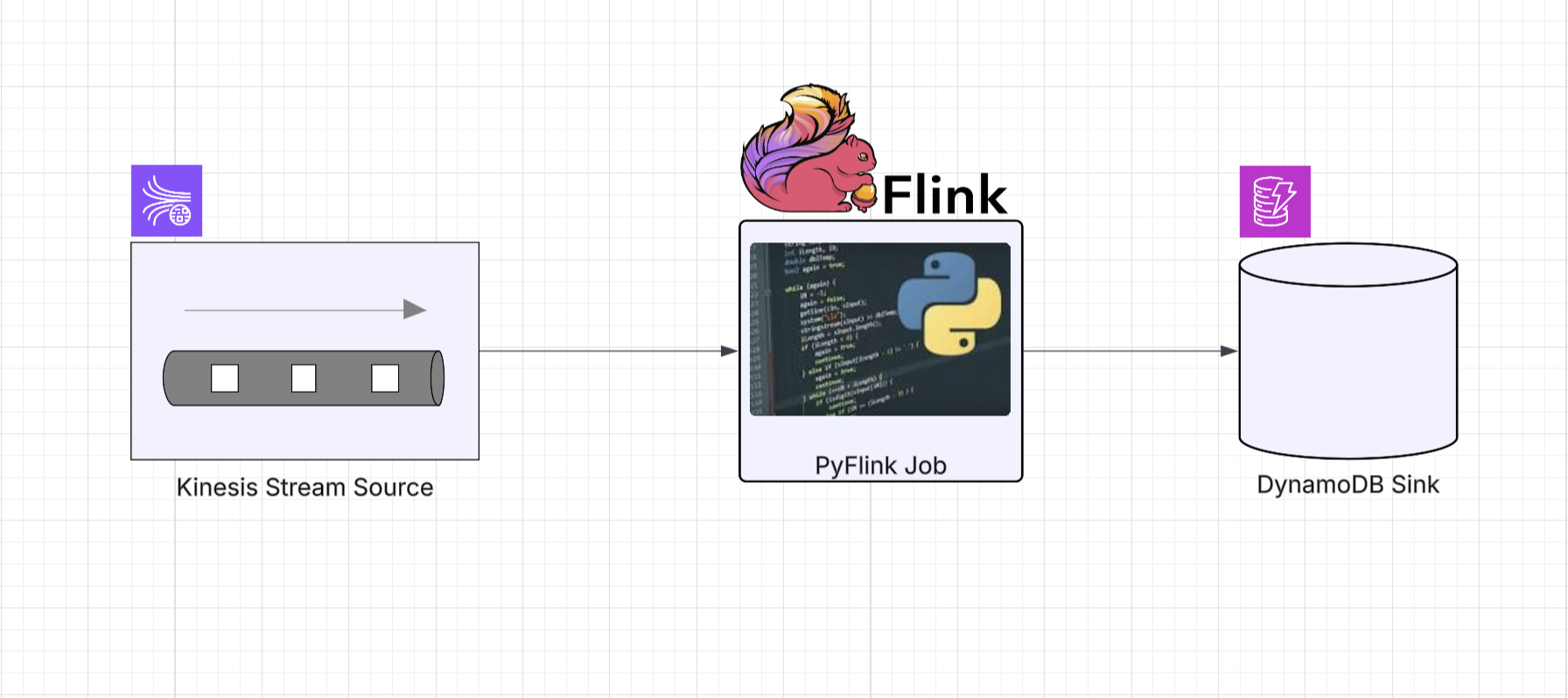
PyFlink Series (Part 8)
Back to: Part 7 (Table & SQL API with Kafka and Postgres)
In Parts 4 and 6 we built Kinesis-to-Kinesis and
Kinesis-to-DynamoDB pipelines using the DataStream API. The DynamoDB job in particular required a
multi-class Java escape hatch with a custom ElementConverter, a DdbSink factory, and a dedicated
Python wrapper class extending PyFlink’s Sink base.
Just like we saw with Kafka and Postgres in Part 7, the Table and SQL APIs make these same pipelines significantly simpler. The Flink connector catalog handles the heavy lifting, and the escape hatches disappear entirely.
If you haven’t read the API comparison in Part 7, the short version is: use the DataStream API when you need per-event control, custom operators, or managed state. Use the Table API when you want typed, Pythonic relational operations. Use the SQL API when the pipeline maps naturally to SQL and you want the least amount of code.
Kinesis to Kinesis
In Part 4 we built this pipeline with FlinkKinesisConsumer,
KinesisStreamsSink, and helper functions wrapping consumer/sink config dictionaries. Here’s
the same job with the SQL API and Table API.
SQL API
import os
from os import path

from pyflink.table import EnvironmentSettings, TableEnvironment

LOCAL_DEBUG = os.getenv('LOCAL_DEBUG', False)
KINESIS_ENDPOINT = os.getenv('KINESIS_ENDPOINT', 'http://localhost:4566')


def run():
    env_settings = EnvironmentSettings.in_streaming_mode()
    table_env = TableEnvironment.create(env_settings)
    table_env.get_config().set("parallelism.default", "1")

    if LOCAL_DEBUG:
        jar_location = str(path.join(path.dirname(path.abspath(__file__)), "../lib/bin/pyflink-services-1.0.jar"))
        table_env.get_config().set("pipeline.jars", f"file:///{jar_location}")
        table_env.get_config().set("pipeline.classpaths", f"file:///{jar_location}")

    # Kinesis source table via SQL DDL
    table_env.execute_sql(f"""
        CREATE TABLE kinesis_source (
            `message` STRING
        ) WITH (
            'connector' = 'kinesis',
            'stream' = 'input_stream',
            'aws.region' = 'us-east-1',
            'aws.credentials.provider' = 'BASIC',
            'aws.credentials.basic.access-key-id' = 'localstack_ignored',
            'aws.credentials.basic.secret-access-key' = 'localstack_ignored',
            'aws.endpoint' = '{KINESIS_ENDPOINT}',
            'scan.startup.mode' = 'latest-offset',
            'format' = 'raw'
        )
    """)

    # Kinesis sink table via SQL DDL
    table_env.execute_sql("""
        CREATE TABLE kinesis_sink (
            `message` STRING
        ) WITH (
            'connector' = 'kinesis',
            'stream' = 'output_stream',
            'aws.region' = 'us-east-1',
            'aws.credentials.provider' = 'BASIC',
            'aws.credentials.basic.access-key-id' = 'aws_access_key_id',
            'aws.credentials.basic.secret-access-key' = 'aws_secret_access_key',
            'aws.endpoint' = 'http://localhost:8000',
            'format' = 'raw'
        )
    """)

    # Pipeline via SQL DML
    table_env.execute_sql("""
        INSERT INTO kinesis_sink
        SELECT * FROM kinesis_source
    """).wait()


if __name__ == '__main__':
    run()
Same pattern as the Kafka-to-Kafka SQL job in Part 7. The connector name changes to kinesis
and we add AWS credential properties, but the structure is identical. No FlinkKinesisConsumer,
no KinesisStreamsSink, no PartitionKeyGenerator.
Table API
import os
from os import path

from pyflink.table import (EnvironmentSettings, TableEnvironment, TableDescriptor,
                           Schema, DataTypes, FormatDescriptor)

LOCAL_DEBUG = os.getenv('LOCAL_DEBUG', False)
KINESIS_ENDPOINT = os.getenv('KINESIS_ENDPOINT', 'http://localhost:4566')


def run():
    env_settings = EnvironmentSettings.in_streaming_mode()
    table_env = TableEnvironment.create(env_settings)
    table_env.get_config().set("parallelism.default", "1")

    if LOCAL_DEBUG:
        jar_location = str(path.join(path.dirname(path.abspath(__file__)), "../lib/bin/pyflink-services-1.0.jar"))
        table_env.get_config().set("pipeline.jars", f"file:///{jar_location}")
        table_env.get_config().set("pipeline.classpaths", f"file:///{jar_location}")

    # Kinesis source table definition
    table_env.create_temporary_table(
        "kinesis_source",
        TableDescriptor.for_connector("kinesis")
        .schema(Schema.new_builder()
                .column("message", DataTypes.STRING())
                .build())
        .option("stream", "input_stream")
        .option("aws.region", "us-east-1")
        .option("aws.credentials.provider", "BASIC")
        .option("aws.credentials.basic.access-key-id", "localstack_ignored")
        .option("aws.credentials.basic.secret-access-key", "localstack_ignored")
        .option("aws.endpoint", KINESIS_ENDPOINT)
        .option("scan.startup.mode", "latest-offset")
        .format(FormatDescriptor.for_format("raw").build())
        .build()
    )

    # Kinesis sink table definition
    table_env.create_temporary_table(
        "kinesis_sink",
        TableDescriptor.for_connector("kinesis")
        .schema(Schema.new_builder()
                .column("message", DataTypes.STRING())
                .build())
        .option("stream", "output_stream")
        .option("aws.region", "us-east-1")
        .option("aws.credentials.provider", "BASIC")
        .option("aws.credentials.basic.access-key-id", "aws_access_key_id")
        .option("aws.credentials.basic.secret-access-key", "aws_secret_access_key")
        .option("aws.endpoint", "http://localhost:8000")
        .format(FormatDescriptor.for_format("raw").build())
        .build()
    )

    # Read from source and insert into sink using the Table API
    source_table = table_env.from_path("kinesis_source")
    source_table.execute_insert("kinesis_sink").wait()


if __name__ == '__main__':
    run()
The Table API version is more verbose due to the AWS credential options, but the pipeline logic remains two lines at the bottom. Compare this to the DataStream version in Part 4, which needed separate helper functions for the consumer and sink builders.
Kinesis to DynamoDB
This is the biggest simplification in the series. In Part 6, the DataStream version required:
- A Java
JsonDdbElementConverterclass to recursively map JSON to DynamoDBAttributeValuetypes - A Java
DdbSinkfactory class with a nestedDdbExecutionPropertiesbuilder - A Python
DynamoDbSinkwrapper class extending PyFlink’sSinkbase - Py4J gateway calls to wire it all together
With the Table and SQL APIs, all of that collapses into a table definition with a dynamodb connector.
SQL API
import os
from os import path

from pyflink.table import EnvironmentSettings, TableEnvironment

LOCAL_DEBUG = os.getenv('LOCAL_DEBUG', False)
KINESIS_ENDPOINT = os.getenv('KINESIS_ENDPOINT', 'http://localstack:4566')
DYNAMODB_ENDPOINT = os.getenv('DYNAMODB_ENDPOINT', 'http://dynamodb-local:8000')


def run():
    env_settings = EnvironmentSettings.in_streaming_mode()
    table_env = TableEnvironment.create(env_settings)
    table_env.get_config().set("parallelism.default", "1")

    if LOCAL_DEBUG:
        jar_location = str(path.join(path.dirname(path.abspath(__file__)), "../lib/bin/pyflink-services-1.0.jar"))
        table_env.get_config().set("pipeline.jars", f"file:///{jar_location}")
        table_env.get_config().set("pipeline.classpaths", f"file:///{jar_location}")

    # Kinesis source table with JSON format via SQL DDL
    table_env.execute_sql(f"""
        CREATE TABLE kinesis_source (
            `id` STRING,
            `message` STRING
        ) WITH (
            'connector' = 'kinesis',
            'stream' = 'input_stream',
            'aws.region' = 'us-east-1',
            'aws.credentials.provider' = 'BASIC',
            'aws.credentials.basic.access-key-id' = 'test',
            'aws.credentials.basic.secret-access-key' = 'test',
            'aws.endpoint' = '{KINESIS_ENDPOINT}',
            'scan.startup.mode' = 'latest-offset',
            'format' = 'json',
            'json.fail-on-missing-field' = 'false'
        )
    """)

    # DynamoDB sink table (columns map to DynamoDB attributes)
    table_env.execute_sql(f"""
        CREATE TABLE dynamodb_sink (
            `id` STRING,
            `message` STRING,
            PRIMARY KEY (`id`) NOT ENFORCED
        ) WITH (
            'connector' = 'dynamodb',
            'table-name' = 'PyFlinkTestTable',
            'aws.region' = 'us-east-1',
            'aws.credentials.provider' = 'BASIC',
            'aws.credentials.basic.access-key-id' = 'test',
            'aws.credentials.basic.secret-access-key' = 'test',
            'aws.endpoint' = '{DYNAMODB_ENDPOINT}'
        )
    """)

    # Pipeline via SQL DML with null filtering
    table_env.execute_sql("""
        INSERT INTO dynamodb_sink
        SELECT * FROM kinesis_source
        WHERE `id` IS NOT NULL
    """).wait()


if __name__ == '__main__':
    run()
No ElementConverter, no DdbSink factory, no Python wrapper. The DynamoDB table connector
handles attribute mapping from the declared schema automatically. Column names become DynamoDB
attribute names, and the PRIMARY KEY maps to the table’s hash key.
Table API
import os
from os import path

from pyflink.table import (EnvironmentSettings, TableEnvironment, TableDescriptor,
                           Schema, DataTypes, FormatDescriptor)

LOCAL_DEBUG = os.getenv('LOCAL_DEBUG', False)
KINESIS_ENDPOINT = os.getenv('KINESIS_ENDPOINT', 'http://localstack:4566')
DYNAMODB_ENDPOINT = os.getenv('DYNAMODB_ENDPOINT', 'http://dynamodb-local:8000')


def run():
    env_settings = EnvironmentSettings.in_streaming_mode()
    table_env = TableEnvironment.create(env_settings)
    table_env.get_config().set("parallelism.default", "1")

    if LOCAL_DEBUG:
        jar_location = str(path.join(path.dirname(path.abspath(__file__)), "../lib/bin/pyflink-services-1.0.jar"))
        table_env.get_config().set("pipeline.jars", f"file:///{jar_location}")
        table_env.get_config().set("pipeline.classpaths", f"file:///{jar_location}")

    # Kinesis source table with JSON format
    table_env.create_temporary_table(
        "kinesis_source",
        TableDescriptor.for_connector("kinesis")
        .schema(Schema.new_builder()
                .column("id", DataTypes.STRING())
                .column("message", DataTypes.STRING())
                .build())
        .option("stream", "input_stream")
        .option("aws.region", "us-east-1")
        .option("aws.credentials.provider", "BASIC")
        .option("aws.credentials.basic.access-key-id", "test")
        .option("aws.credentials.basic.secret-access-key", "test")
        .option("aws.endpoint", KINESIS_ENDPOINT)
        .option("scan.startup.mode", "latest-offset")
        .format(FormatDescriptor.for_format("json")
                .option("fail-on-missing-field", "false")
                .build())
        .build()
    )

    # DynamoDB sink table (columns map to DynamoDB attributes)
    table_env.create_temporary_table(
        "dynamodb_sink",
        TableDescriptor.for_connector("dynamodb")
        .schema(Schema.new_builder()
                .column("id", DataTypes.STRING())
                .column("message", DataTypes.STRING())
                .primary_key("id")
                .build())
        .option("table-name", "PyFlinkTestTable")
        .option("aws.region", "us-east-1")
        .option("aws.credentials.provider", "BASIC")
        .option("aws.credentials.basic.access-key-id", "test")
        .option("aws.credentials.basic.secret-access-key", "test")
        .option("aws.endpoint", DYNAMODB_ENDPOINT)
        .build()
    )

    # Read from Kinesis, filter empty records, and insert into DynamoDB
    source_table = table_env.from_path("kinesis_source")
    filtered = source_table.filter(source_table.id.is_not_null)
    filtered.execute_insert("dynamodb_sink").wait()


if __name__ == '__main__':
    run()
The primary_key("id") call on the schema builder maps to DynamoDB’s hash key. The filter
uses a typed column reference, and the entire pipeline is three lines of Python.
Running Locally
The infrastructure is the same as Parts 4 and 6. The docker-compose stack provides LocalStack
for Kinesis and DynamoDB Local.
Start the services:
make servicesCreate the DynamoDB table (if not already created):
make create_table_ddbSubmit any of the jobs. For example, the SQL API Kinesis-to-DynamoDB job:
make run app=jobs/sql_app_kinesis_ddbOr the Table API Kinesis-to-Kinesis job:
make run app=jobs/tbl_app_kinesis_kinesisGenerate test data using the same Kinesis producer from Part 6:
make generate loops=3 delay_ms=200Verify the DynamoDB results:
make scan_table_ddbFor the Kinesis-to-Kinesis jobs, read from the output stream as described in Part 4.