PyFlink Series (Part 7)
Back to: Part 6 (Data Stream API Job with Local Kinesis Source and DynamoDB Sink)
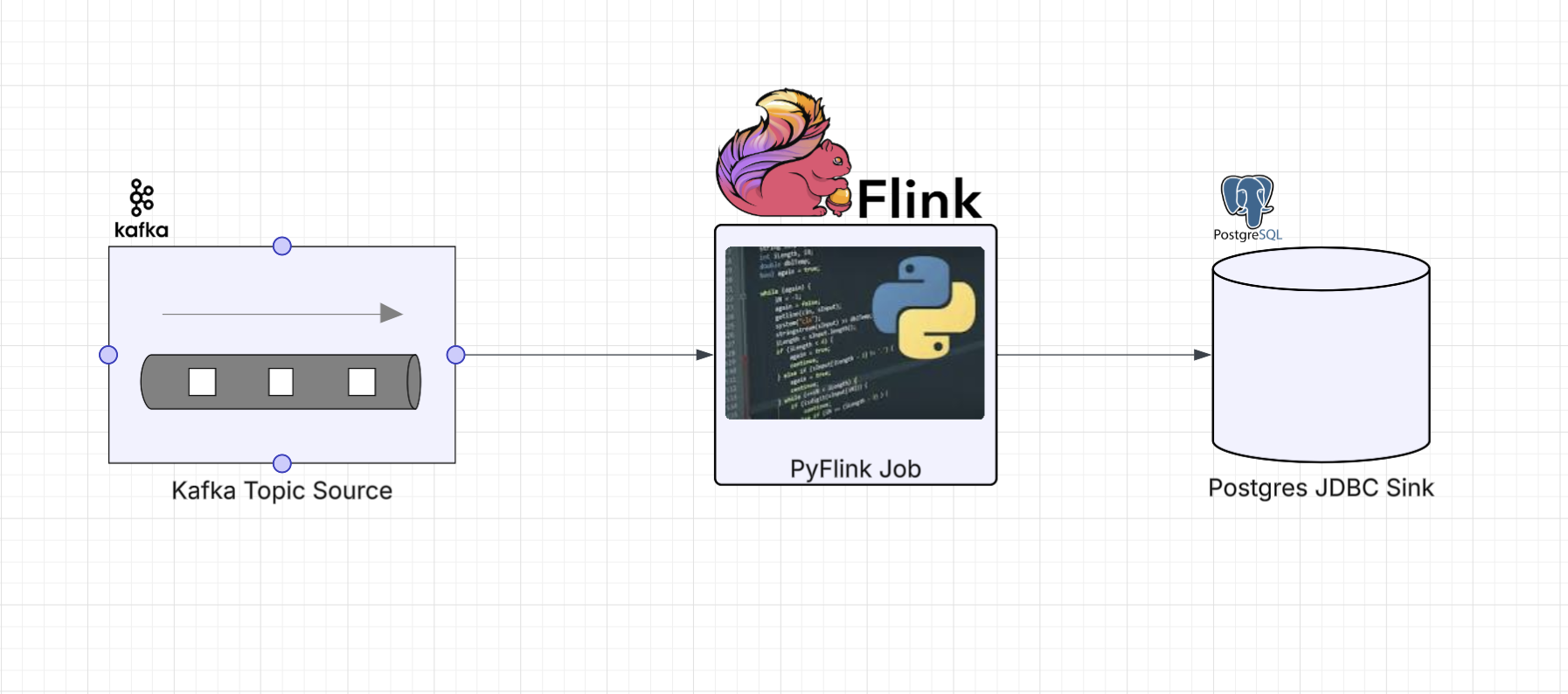
In Parts 3 and 5 we built Kafka-to-Kafka and Kafka-to-Postgres pipelines using the DataStream API. Those jobs required builder patterns, manual serialization schemas, and (in the Postgres case) a custom Java escape hatch just to get data into JDBC.
Flink offers two higher-level APIs that can dramatically simplify these same jobs: the Table API and the
SQL API. Both operate on a TableEnvironment and use Flink’s connector catalog to define sources and
sinks declaratively. The connector handles serialization, schema mapping, and sink mechanics for you.
The tradeoff is control. The DataStream API gives you per-event access, custom operators, managed state, and process functions. If your pipeline is primarily moving structured data between systems, with filtering and transformations that can be expressed as projections or predicates, the Table and SQL APIs are the better tool for the job.
Choosing the Right API
Before we look at the code, it’s worth understanding when you’d reach for each API.
DataStream API is your choice when you need fine-grained, per-event processing. Custom operators, managed state, complex windowing, side outputs, and process functions all live here. You’re writing imperative Python code that handles each record individually. The cost is more boilerplate, more manual wiring, and (as we saw in Parts 5 and 6) the occasional escape hatch when Python bindings don’t exist for a connector.
Table API offers a middle ground. You define sources and sinks with typed Python descriptor objects
(TableDescriptor, Schema, DataTypes) and compose pipelines using relational-style operations like
filter, select, and join. You get IDE support and type checking, and Flink’s optimizer plans the
execution for you. Reach for this when your data is structured, your transformations are relational, and
you want Pythonic code without writing raw SQL.
SQL API is the simplest option. DDL strings define your sources and sinks, DML strings define your pipeline. If the logic maps naturally to SQL, this is the fastest way to get a job running. It’s also the easiest to hand off to someone who knows SQL but isn’t a Python developer.
Both the Table and SQL APIs compile down to the same execution plan under the hood, so the choice between them is largely about ergonomics and team preference.
Kafka to Kafka
In Part 3 we built this pipeline with KafkaSource, KafkaSink, serialization
schemas, and builder chains. Here’s the same job using the SQL API and Table API.
SQL API
import os
from os import path

from pyflink.table import EnvironmentSettings, TableEnvironment

LOCAL_DEBUG = os.getenv('LOCAL_DEBUG', False)


def run():
    brokers = "localhost:9092"
    env_settings = EnvironmentSettings.in_streaming_mode()
    table_env = TableEnvironment.create(env_settings)
    table_env.get_config().set("parallelism.default", "1")

    if LOCAL_DEBUG:
        jar_location = str(path.join(path.dirname(path.abspath(__file__)), "../lib/bin/pyflink-services-1.0.jar"))
        table_env.get_config().set("pipeline.jars", f"file:///{jar_location}")
        table_env.get_config().set("pipeline.classpaths", f"file:///{jar_location}")

    # Kafka source table via SQL DDL
    table_env.execute_sql(f"""
        CREATE TABLE kafka_source (
            `message` STRING
        ) WITH (
            'connector' = 'kafka',
            'properties.bootstrap.servers' = '{brokers}',
            'topic' = 'input_topic',
            'properties.group.id' = 'stream_example',
            'scan.startup.mode' = 'earliest-offset',
            'format' = 'raw'
        )
    """)

    # Kafka sink table via SQL DDL
    table_env.execute_sql(f"""
        CREATE TABLE kafka_sink (
            `message` STRING
        ) WITH (
            'connector' = 'kafka',
            'properties.bootstrap.servers' = '{brokers}',
            'topic' = 'output_topic',
            'sink.delivery-guarantee' = 'at-least-once',
            'format' = 'raw'
        )
    """)

    # Pipeline via SQL DML
    table_env.execute_sql("""
        INSERT INTO kafka_sink
        SELECT * FROM kafka_source
    """).wait()


if __name__ == '__main__':
    run()
The entire job is three SQL statements: one to create the source table, one to create the sink table, and one to move data between them. No serialization classes, no builder chains, no watermark strategies.
Table API
import os
from os import path

from pyflink.table import (EnvironmentSettings, TableEnvironment, TableDescriptor,
                           Schema, DataTypes, FormatDescriptor)

LOCAL_DEBUG = os.getenv('LOCAL_DEBUG', False)


def run():
    brokers = "localhost:9092"
    env_settings = EnvironmentSettings.in_streaming_mode()
    table_env = TableEnvironment.create(env_settings)
    table_env.get_config().set("parallelism.default", "1")

    if LOCAL_DEBUG:
        jar_location = str(path.join(path.dirname(path.abspath(__file__)), "../lib/bin/pyflink-services-1.0.jar"))
        table_env.get_config().set("pipeline.jars", f"file:///{jar_location}")
        table_env.get_config().set("pipeline.classpaths", f"file:///{jar_location}")

    # Kafka source table definition
    table_env.create_temporary_table(
        "kafka_source",
        TableDescriptor.for_connector("kafka")
        .schema(Schema.new_builder()
                .column("message", DataTypes.STRING())
                .build())
        .option("properties.bootstrap.servers", brokers)
        .option("topic", "input_topic")
        .option("properties.group.id", "stream_example")
        .option("scan.startup.mode", "earliest-offset")
        .format(FormatDescriptor.for_format("raw").build())
        .build()
    )

    # Kafka sink table definition
    table_env.create_temporary_table(
        "kafka_sink",
        TableDescriptor.for_connector("kafka")
        .schema(Schema.new_builder()
                .column("message", DataTypes.STRING())
                .build())
        .option("properties.bootstrap.servers", brokers)
        .option("topic", "output_topic")
        .option("sink.delivery-guarantee", "at-least-once")
        .format(FormatDescriptor.for_format("raw").build())
        .build()
    )

    # Read from source and insert into sink using the Table API
    source_table = table_env.from_path("kafka_source")
    source_table.execute_insert("kafka_sink").wait()


if __name__ == '__main__':
    run()
The Table API version uses Python objects instead of SQL strings. The table definitions are more verbose than raw SQL, but you get typed column definitions and IDE autocompletion. The pipeline itself is two lines: read from the source table and insert into the sink.
Kafka to Postgres
This is where the difference is most striking. In Part 5 this pipeline
required a custom Java JsonJdbcSink class, Py4J gateway calls, java.util.Properties objects,
typed Java arrays, and _j_data_stream.addSink(). All of that goes away with the Table and SQL APIs
because Flink’s JDBC table connector
works out of the box.
SQL API
import os
from os import path

from pyflink.table import EnvironmentSettings, TableEnvironment

LOCAL_DEBUG = os.getenv('LOCAL_DEBUG', False)
KAFKA_BROKERS = os.getenv('KAFKA_BROKERS', 'kafka0:29092')
POSTGRES_HOST = os.getenv('POSTGRES_HOST', 'postgres_container')
POSTGRES_PORT = os.getenv('POSTGRES_PORT', '5432')
POSTGRES_DB = os.getenv('POSTGRES_DB', 'postgres')
POSTGRES_USER = os.getenv('POSTGRES_USER', 'postgres')
POSTGRES_PASSWORD = os.getenv('POSTGRES_PASSWORD', 'changeme')


def run():
    env_settings = EnvironmentSettings.in_streaming_mode()
    table_env = TableEnvironment.create(env_settings)
    table_env.get_config().set("parallelism.default", "1")

    if LOCAL_DEBUG:
        jar_location = str(path.join(path.dirname(path.abspath(__file__)), "../lib/bin/pyflink-services-1.0.jar"))
        table_env.get_config().set("pipeline.jars", f"file:///{jar_location}")
        table_env.get_config().set("pipeline.classpaths", f"file:///{jar_location}")

    jdbc_url = f"jdbc:postgresql://{POSTGRES_HOST}:{POSTGRES_PORT}/{POSTGRES_DB}"

    # Kafka source table with JSON format via SQL DDL
    table_env.execute_sql(f"""
        CREATE TABLE kafka_source (
            `id` STRING,
            `kind` STRING,
            `value` STRING,
            `timestamp` STRING
        ) WITH (
            'connector' = 'kafka',
            'properties.bootstrap.servers' = '{KAFKA_BROKERS}',
            'topic' = 'input_topic',
            'properties.group.id' = 'kafka_postgres_group',
            'scan.startup.mode' = 'latest-offset',
            'format' = 'json',
            'json.fail-on-missing-field' = 'false'
        )
    """)

    # JDBC/Postgres sink table with upsert via primary key
    table_env.execute_sql(f"""
        CREATE TABLE postgres_sink (
            `id` STRING,
            `kind` STRING,
            `value` STRING,
            `timestamp` STRING,
            PRIMARY KEY (`id`, `timestamp`) NOT ENFORCED
        ) WITH (
            'connector' = 'jdbc',
            'url' = '{jdbc_url}',
            'table-name' = 'sensor_readings',
            'driver' = 'org.postgresql.Driver',
            'username' = '{POSTGRES_USER}',
            'password' = '{POSTGRES_PASSWORD}'
        )
    """)

    # Pipeline via SQL DML with null filtering
    table_env.execute_sql("""
        INSERT INTO postgres_sink
        SELECT * FROM kafka_source
        WHERE `id` IS NOT NULL
    """).wait()


if __name__ == '__main__':
    run()
The JDBC connector is defined inline with the sink DDL. Upsert behavior comes from declaring a
PRIMARY KEY on the table. No custom Java code, no escape hatch, no get_gateway() calls.
Compare this to the DataStream version in Part 5, which needed a full
Java class (JsonJdbcSink) to accomplish the same thing.
Table API
import os
from os import path

from pyflink.table import (EnvironmentSettings, TableEnvironment, TableDescriptor,
                           Schema, DataTypes, FormatDescriptor)

LOCAL_DEBUG = os.getenv('LOCAL_DEBUG', False)
KAFKA_BROKERS = os.getenv('KAFKA_BROKERS', 'kafka0:29092')
POSTGRES_HOST = os.getenv('POSTGRES_HOST', 'postgres_container')
POSTGRES_PORT = os.getenv('POSTGRES_PORT', '5432')
POSTGRES_DB = os.getenv('POSTGRES_DB', 'postgres')
POSTGRES_USER = os.getenv('POSTGRES_USER', 'postgres')
POSTGRES_PASSWORD = os.getenv('POSTGRES_PASSWORD', 'changeme')


def run():
    env_settings = EnvironmentSettings.in_streaming_mode()
    table_env = TableEnvironment.create(env_settings)
    table_env.get_config().set("parallelism.default", "1")

    if LOCAL_DEBUG:
        jar_location = str(path.join(path.dirname(path.abspath(__file__)), "../lib/bin/pyflink-services-1.0.jar"))
        table_env.get_config().set("pipeline.jars", f"file:///{jar_location}")
        table_env.get_config().set("pipeline.classpaths", f"file:///{jar_location}")

    # Kafka source table with JSON format matching sensor_readings schema
    table_env.create_temporary_table(
        "kafka_source",
        TableDescriptor.for_connector("kafka")
        .schema(Schema.new_builder()
                .column("id", DataTypes.STRING())
                .column("kind", DataTypes.STRING())
                .column("value", DataTypes.STRING())
                .column("timestamp", DataTypes.STRING())
                .build())
        .option("properties.bootstrap.servers", KAFKA_BROKERS)
        .option("topic", "input_topic")
        .option("properties.group.id", "kafka_postgres_group")
        .option("scan.startup.mode", "latest-offset")
        .format(FormatDescriptor.for_format("json")
                .option("fail-on-missing-field", "false")
                .build())
        .build()
    )

    # JDBC/Postgres sink table with upsert support via primary key
    jdbc_url = f"jdbc:postgresql://{POSTGRES_HOST}:{POSTGRES_PORT}/{POSTGRES_DB}"
    table_env.create_temporary_table(
        "postgres_sink",
        TableDescriptor.for_connector("jdbc")
        .schema(Schema.new_builder()
                .column("id", DataTypes.STRING())
                .column("kind", DataTypes.STRING())
                .column("value", DataTypes.STRING())
                .column("timestamp", DataTypes.STRING())
                .primary_key("id", "timestamp")
                .build())
        .option("url", jdbc_url)
        .option("table-name", "sensor_readings")
        .option("driver", "org.postgresql.Driver")
        .option("username", POSTGRES_USER)
        .option("password", POSTGRES_PASSWORD)
        .build()
    )

    # Read from Kafka, filter nulls, and upsert into Postgres
    source_table = table_env.from_path("kafka_source")
    filtered = source_table.filter(source_table.id.is_not_null)
    filtered.execute_insert("postgres_sink").wait()


if __name__ == '__main__':
    run()
Same idea, but with Python descriptor objects. Note the primary_key("id", "timestamp") call
on the schema builder, which enables upsert mode automatically. The filter uses a typed column
reference (source_table.id.is_not_null) instead of a SQL WHERE clause.
Running Locally
The infrastructure is identical to Parts 3 and 5. The same docker-compose stack provides Kafka
and Postgres, and the same make services target starts everything up.
Start the services:
make servicesSubmit any of the jobs. For example, the SQL API Kafka-to-Postgres job:
make run app=jobs/sql_app_kafka_postgresOr the Table API Kafka-to-Kafka job:
make run app=jobs/tbl_app_kafka_kafkaGenerate test data using the same Kafka producer from Part 5:
make generate_kafka loops=3 delay_ms=200Verify the Postgres results with the same query:
docker compose exec -T postgres psql -U postgres -c "SELECT * FROM sensor_readings ORDER BY id, timestamp;"For the Kafka-to-Kafka jobs, check the output_topic in the Kafka UI at
http://localhost:8080 as described in Part 3.
Up next: Part 8 (Table & SQL API with Kinesis and DynamoDB)