PyFlink Series (Part 5)
Back to: Part 4 (Data Stream API Job with Local AWS Kinesis Source and Sink)
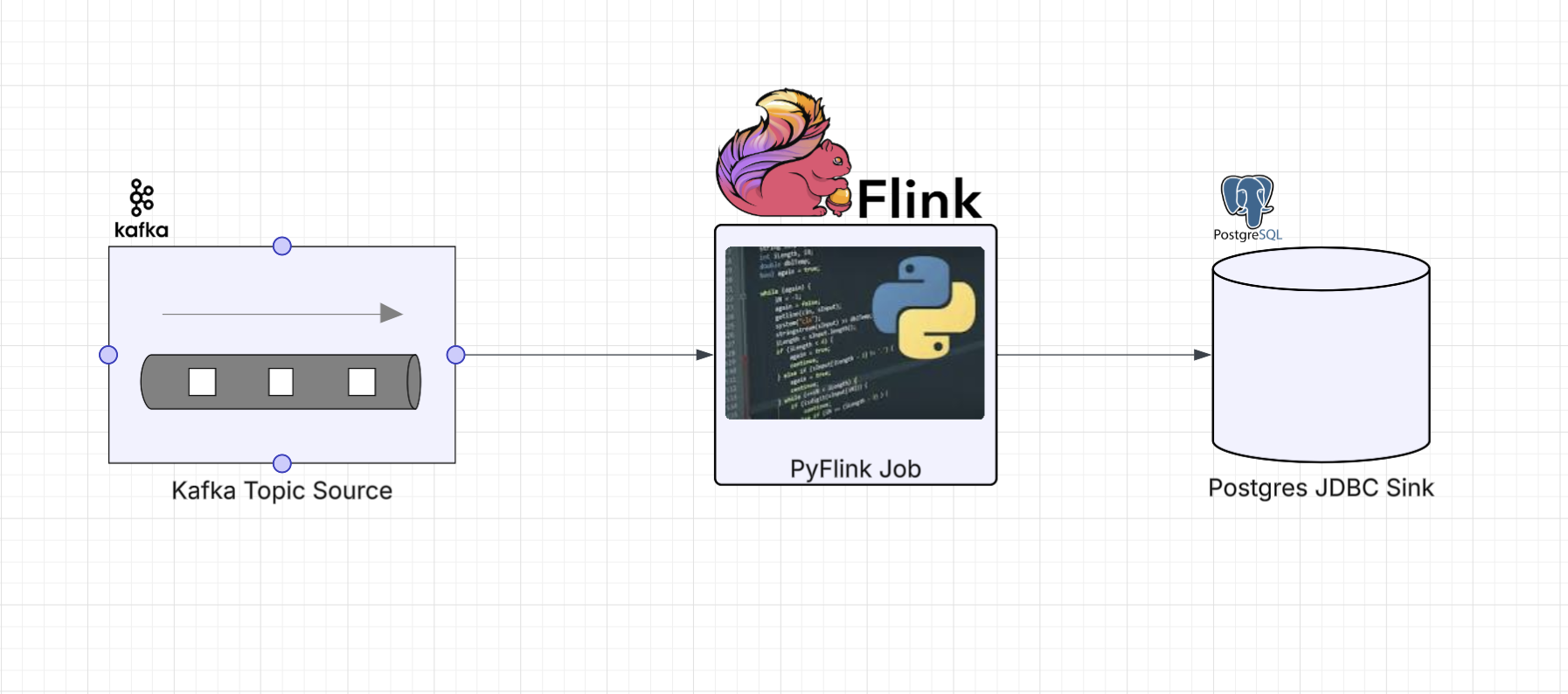
In this part we’re going to read sensor events off a Kafka topic and sink them into a Postgres table using JDBC. This is where things get interesting. The PyFlink DataStream API didn’t expose JDBC sink bindings for Python, so we need to reach for what I’ll call an escape hatch: writing custom Java code and calling into it from Python using PyFlink’s Java gateway.
This is a completely open source job example: Kafka for the event stream and Postgres for the
database. The example project runs both locally
via docker-compose.
The Job
Define imports
import os
from os import path

from pyflink.common import SimpleStringSchema, WatermarkStrategy
from pyflink.datastream import StreamExecutionEnvironment, RuntimeExecutionMode
from pyflink.datastream.connectors.kafka import KafkaSource, KafkaOffsetsInitializer
from pyflink.java_gateway import get_gateway
The Kafka source uses the built-in PyFlink connector we’ve seen before. The get_gateway import
is the tell that we’re going to reach across into Java for the sink.
Configuration
Environment variables control the connection details, with defaults that match our docker-compose setup:
LOCAL_DEBUG = os.getenv('LOCAL_DEBUG', False)
KAFKA_BROKERS = os.getenv('KAFKA_BROKERS', 'kafka0:29092')
POSTGRES_HOST = os.getenv('POSTGRES_HOST', 'postgres_container')
POSTGRES_PORT = os.getenv('POSTGRES_PORT', '5432')
POSTGRES_DB = os.getenv('POSTGRES_DB', 'postgres')
POSTGRES_USER = os.getenv('POSTGRES_USER', 'postgres')
POSTGRES_PASSWORD = os.getenv('POSTGRES_PASSWORD', 'changeme')
We also define the SQL statement and field mapping up front. The upsert handles duplicate events gracefully:
SQL = (
    "INSERT INTO sensor_readings (id, kind, value, timestamp) VALUES (?, ?, ?, ?)"
    " ON CONFLICT (id, timestamp) DO UPDATE SET kind = EXCLUDED.kind, value = EXCLUDED.value"
)
FIELD_NAMES = ["id", "kind", "value", "timestamp"]
Helper functions
The Kafka source helper is the same builder pattern from Part 3:
def get_source(brokers: str, topic: str) -> KafkaSource:
    return (KafkaSource.builder()
            .set_bootstrap_servers(brokers)
            .set_topics(topic)
            .set_group_id("kafka_postgres_group")
            .set_starting_offsets(KafkaOffsetsInitializer.latest())
            .set_value_only_deserializer(SimpleStringSchema())
            .build())
The sink helper is where we use the escape hatch. Here we call directly into the JVM from the job itself, no separate Python wrapper class needed:
def get_sink():
    gateway = get_gateway()
    JsonJdbcSink = gateway.jvm.com.example.pyflink.sink.jdbc.JsonJdbcSink

    Properties = gateway.jvm.java.util.Properties

    conn_props = Properties()
    conn_props.setProperty("url", f"jdbc:postgresql://{POSTGRES_HOST}:{POSTGRES_PORT}/{POSTGRES_DB}")
    conn_props.setProperty("driver", "org.postgresql.Driver")
    conn_props.setProperty("username", POSTGRES_USER)
    conn_props.setProperty("password", POSTGRES_PASSWORD)

    exec_props = Properties()
    exec_props.setProperty("batch.interval.ms", "200")
    exec_props.setProperty("batch.size", "5")
    exec_props.setProperty("max.retries", "5")

    field_names = gateway.new_array(gateway.jvm.String, len(FIELD_NAMES))
    for i, name in enumerate(FIELD_NAMES):
        field_names[i] = name

    return JsonJdbcSink.getSink(SQL, field_names, conn_props, exec_props)
A few things to call out:
- We use
gateway.jvmto reach our customJsonJdbcSinkclass by its fully qualified name java.util.Propertiesobjects are created and populated from Python. This is the bridge between Python config and Java builder parametersgateway.new_arraycreates a typed JavaString[]array, which is necessary because the Java method expects a native array, not a Python list- The connection and execution properties are kept separate, making it straightforward to tune JDBC batching behavior independently from connection details
Build the DAG
Putting it all together:
def run():
    get_gateway()
    env = StreamExecutionEnvironment.get_execution_environment()
    env.set_runtime_mode(RuntimeExecutionMode.STREAMING)
    env.set_parallelism(1)

    if LOCAL_DEBUG:
        jar_location = str(path.join(path.dirname(path.abspath(__file__)), "../lib/bin/pyflink-services-1.0.jar"))
        env.add_jars(f"file:///{jar_location}")
        env.add_classpaths(f"file:///{jar_location}")

    stream = env.from_source(get_source(KAFKA_BROKERS, 'input_topic'),
                             WatermarkStrategy.no_watermarks(), "Kafka Source")

    stream = stream.filter(lambda record: record is not None and len(record.strip()) > 0)

    stream._j_data_stream.addSink(get_sink())

    env.execute("kafka-2-postgres")


if __name__ == '__main__':
    run()
Notice that we’re using stream._j_data_stream.addSink() instead of stream.sink_to().
Since our Java sink returns a SinkFunction (the legacy Flink sink interface) rather than
the newer Sink interface, we need to drop down to the underlying Java DataStream object
to attach it. This is another small escape hatch: accessing PyFlink’s internal Java objects
when the Python API doesn’t expose what you need.
The Escape Hatch: Custom JDBC Sink via the Java Bridge
PyFlink is a Python wrapper around Apache Flink’s Java runtime. When it ships a connector (Kafka, Kinesis, etc.), it also ships Python bindings that know how to talk to the underlying Java objects. But not every Java connector gets Python bindings at every API level. JDBC is a good example: Flink’s Table API has a JDBC connector you can use directly, but the DataStream API didn’t ship with Python bindings for it, which is what we need here.
The good news is that PyFlink exposes a Java gateway (via Py4J) that lets you instantiate and interact with arbitrary Java classes at runtime. This is your escape hatch when the Python API doesn’t cover what you need.
The pattern is:
- Write (or wrap) the Java code you need
- Package it into the shadowjar so Flink’s classloader can find it
- Call into it from Python using
get_gateway().jvm
The Java Side
The JsonJdbcSink class is a factory that builds a Flink SinkFunction<String> using the
native JDBC connector. It parses incoming JSON strings and maps named fields to positional
PreparedStatement parameters:
package com.example.pyflink.sink.jdbc;

import com.fasterxml.jackson.databind.JsonNode;
import com.fasterxml.jackson.databind.ObjectMapper;
import org.apache.flink.connector.jdbc.JdbcConnectionOptions;
import org.apache.flink.connector.jdbc.JdbcExecutionOptions;
import org.apache.flink.connector.jdbc.JdbcSink;
import org.apache.flink.streaming.api.functions.sink.SinkFunction;

import java.util.Properties;

public class JsonJdbcSink {

    private static final ObjectMapper mapper = new ObjectMapper();

    public static SinkFunction<String> getSink(
            String sql,
            String[] fieldNames,
            Properties connProps,
            Properties execProps
    ) {
        JdbcConnectionOptions connOpts = new JdbcConnectionOptions.JdbcConnectionOptionsBuilder()
                .withUrl(connProps.getProperty("url"))
                .withDriverName(connProps.getProperty("driver", "org.postgresql.Driver"))
                .withUsername(connProps.getProperty("username"))
                .withPassword(connProps.getProperty("password"))
                .build();

        JdbcExecutionOptions execOpts = JdbcExecutionOptions.builder()
                .withBatchIntervalMs(Long.parseLong(
                    execProps.getProperty("batch.interval.ms", "200")))
                .withBatchSize(Integer.parseInt(
                    execProps.getProperty("batch.size", "5")))
                .withMaxRetries(Integer.parseInt(
                    execProps.getProperty("max.retries", "5")))
                .build();

        return JdbcSink.sink(
                sql,
                (ps, jsonStr) -> {
                    JsonNode node = mapper.readTree(jsonStr);
                    for (int i = 0; i < fieldNames.length; i++) {
                        JsonNode field = node.get(fieldNames[i]);
                        if (field == null || field.isNull()) {
                            ps.setNull(i + 1, java.sql.Types.VARCHAR);
                        } else if (field.isNumber()) {
                            if (field.isIntegralNumber()) {
                                ps.setLong(i + 1, field.asLong());
                            } else {
                                ps.setDouble(i + 1, field.asDouble());
                            }
                        } else if (field.isBoolean()) {
                            ps.setBoolean(i + 1, field.asBoolean());
                        } else {
                            ps.setString(i + 1, field.asText());
                        }
                    }
                },
                execOpts,
                connOpts
        );
    }
}
The design keeps things flexible:
- The SQL statement and field names are passed in, so the same sink class works for any table schema without modification
- The
JdbcStatementBuilderlambda inspects JSON node types at runtime and maps them to the appropriatePreparedStatementsetter: strings, numbers (integral vs floating point), booleans, and nulls are all handled - Connection and execution options use the Flink builder pattern, keeping the configuration clean and familiar to anyone who’s worked with Flink’s Java API
The whole thing fits in a single class. The JDBC connector’s JdbcSink.sink() factory takes the statement
builder inline as a lambda, which keeps everything in one place. In Part 6 we’ll see a more
involved escape hatch that requires multiple Java classes and a dedicated Python wrapper.
Running Locally
Start the local services (Flink cluster, Kafka, Postgres):
make servicesThe make services target builds and starts the docker-compose stack. It also waits for Postgres to
be ready and then runs the init script to create the sensor_readings table:
CREATE TABLE IF NOT EXISTS sensor_readings (
    id         VARCHAR NOT NULL,
    kind       VARCHAR,
    value      DOUBLE PRECISION,
    timestamp  VARCHAR NOT NULL,
    PRIMARY KEY (id, timestamp)
);
The Kafka topics (input_topic and output_topic) are auto-created by the kafka-init-topics
service in docker-compose.
Submit the job to the local Flink cluster:
make run app=jobs/ds_app_kafka_postgresGenerating Test Data
The project includes a Kafka producer that reads sensor records from the same JSON file
used in previous examples and pushes them into the input_topic:
make generate_kafka loops=3 delay_ms=200Under the hood, this uses kafka-python to produce JSON-serialized sensor events:
def produce(records: list, topic: str, bootstrap_servers: str, delay_ms: int, loops: int):
    producer = KafkaProducer(
        bootstrap_servers=bootstrap_servers,
        value_serializer=lambda v: json.dumps(v).encode("utf-8"),
        key_serializer=lambda k: k.encode("utf-8") if k else None,
    )

    for i in range(loops):
        for record in records:
            payload = {
                **record,
                "timestamp": str(int(time.time() * 1000)),
                "value": randomize_value(record["value"]),
            }
            producer.send(topic, key=str(record["id"]), value=payload)
Just like the Kinesis producer, each record gets a fresh timestamp and a randomized value.
Verifying the Results
Once events have been generated and the job has processed them, you can query Postgres directly:
docker compose exec -T postgres psql -U postgres -c "SELECT * FROM sensor_readings ORDER BY id, timestamp;"You should see your sensor readings stored with the correct types: id and kind as
strings, value as a double, and timestamp as a string (milliseconds since epoch):
 id  | kind | value  |   timestamp
-----+------+--------+---------------
 123 | temp |   93.3 | 1771292913564
 123 | temp | 104.44 | 1771292913674
 123 | temp |  89.19 | 1771292913782
 123 | temp |  95.54 | 1771292913996
 123 | temp | 106.31 | 1771292914104
 123 | temp |  86.69 | 1771292914213
 123 | temp |  96.51 | 1771292914428
 123 | temp | 104.04 | 1771292914534
 123 | temp |   92.9 | 1771292914643
 123 | temp |  92.98 | 1771292914865
 123 | temp |  92.33 | 1771292914971
 123 | temp |  87.08 | 1771292915080
 123 | temp |  84.22 | 1771292915296
 123 | temp | 101.97 | 1771292915409
 123 | temp |  95.18 | 1771292915516
 456 | temp |  96.04 | 1771292913618
 456 | temp |  36.61 | 1771292913729
 456 | temp |     97 | 1771292914051
 ...
(40 rows)
The upsert logic means re-running the generator will update existing rows rather than fail on duplicate keys.
Up next: Part 6 (Data Stream API Job with Local Kinesis Source and DynamoDB Sink)